Easter Cutie Coloring Pages for Kids: Crafting a High-Resolution KDP Coloring Book Interior
When it comes to self-publishing children’s activity books, few themes resonate as warmly as Easter. The combination of bunnies, eggs, chicks, and spring flowers creates a world of cuteness that appeals to both children and the adults who purchase these books. Easter Cutie Coloring Pages for Kids represent more than just seasonal fun—they are a canvas for creativity and a practical product for Kindle Direct Publishing (KDP) authors. In this article, we explore how to use a high-resolution Easter Cutie Coloring Book interior to build a professional, sellable product on Amazon. We’ll examine the specifications that matter, the file formats you receive, and the workflow that turns raw assets into a finished book.
Why High-Resolution Matters for a Coloring Book Interior
Coloring books depend on crisp lines and clear images. A child (or parent) expects the outlines to be sharp enough to color within, without pixelated edges or blurry details. This is where the term “300 DPI” becomes critical. DPI stands for dots per inch, and 300 is the standard for high-quality print. At this resolution, each detail in your Easter Cutie Coloring Pages for Kids will reproduce cleanly on paper. Even if you are producing a digital version for print-on-demand, the same resolution ensures that the interior looks professional when downloaded or printed at home.
Additionally, the dimension of 8.5” x 11” is the standard US letter size. This is the most popular trim size for children’s coloring books on KDP. It provides ample space for large, easy-to-color illustrations while fitting neatly on a standard printer. When you use a pre-designed interior with these exact measurements, you eliminate the risk of scaling issues or cropping errors during upload.
Understanding the File Package: What Each Format Does
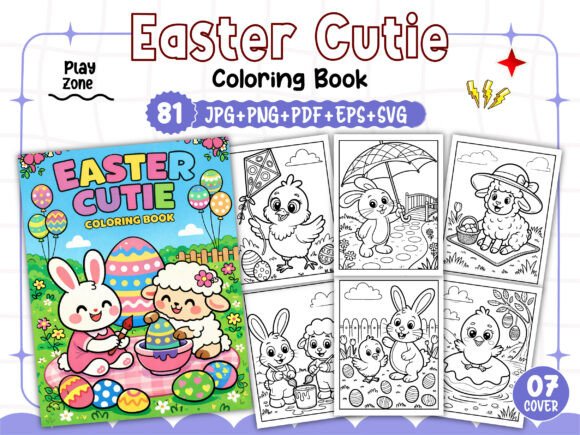
A typical high-resolution Easter Cutie Coloring Book interior download includes multiple file types: PDF, EPS, JPG, PNG, and SVG. Each serves a different purpose in the book creation workflow. Knowing how to use them helps you customize the interior without starting from scratch.
- PDF (Print Ready): The most straightforward file. This is a single multi-page document with all 81 pages correctly ordered and formatted at 8.5” x 11”. You can upload this directly to KDP after adding your cover. It’s a “drop-in” solution that saves hours of layout work.
- EPS (Print Ready): A vector-based format that allows you to edit individual elements in software like Adobe Illustrator or CorelDRAW. If you want to change colors, resize specific illustrations, or add your own elements, the EPS file is your best friend.
- JPG and PNG (300 DPI): Each of the 81 illustrations is provided as a separate high-resolution image. JPG files are smaller and great for quick previews. PNG files retain transparency (if any) and are ideal for layering or for use in design programs that require a transparent background.
- SVG (300 DPI): Scalable Vector Graphics. These are also vector files but more universally accessible. You can open them in free software like Inkscape or even in a web browser. SVG files are excellent if you plan to resize illustrations without losing quality—for example, to create a smaller interior or to use on a book cover.
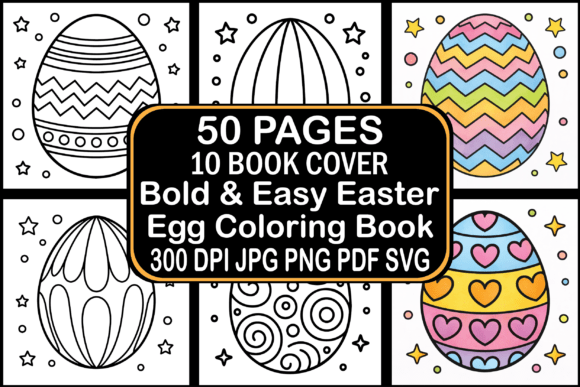
With 81 unique images, you have enough content for a substantial coloring book. The "Easter Cutie" theme typically includes bunnies, eggs, baskets, spring flowers, and cheerful chicks, all drawn in a simple, cute style that appeals to preschool and early elementary children.
From Asset to Unique Interior: Personalization Strategies
Receiving a complete set of files does not mean your interior is finished. To stand out on Amazon, you should customize the interior to reflect your brand or vision. Here are practical ways to make the Easter Cutie Coloring Pages for Kids your own:
- Reorder the pages: Not every child will color page after page in a fixed sequence. You can shuffle the images to create a different flow—perhaps starting with the most complex design and ending with a simple one, or grouping by subject (bunnies first, then eggs, then flowers).
- Add borders or frames: Using the SVG or EPS files, you can place each illustration inside a decorative border. A thin dashed line or a subtle Easter egg pattern adds polish without overwhelming the coloring area.
- Include a title page or “This book belongs to” page: Many KDP authors add a personalized page at the beginning. You can design a simple frame using elements from the PNG images and add text fields for the child’s name.
- Create a test print: Before uploading to KDP, print one or two pages at home. Check that the line thickness is suitable for crayons or colored pencils. If lines are too thin, you can thicken them in vector software using the EPS or SVG files.
Remember that KDP requires a bleed of 0.125 inches on all sides if your images go to the edge. The provided files are likely already within a safe margin, but always double-check. A 300 DPI PNG file at 8.5” x 11” should have enough canvas area to include a small margin.
Selling on Amazon KDP: Guidelines and Restrictions
The note in the product description explicitly states, “You can sell on it only Amazon Kindle Direct Publishing.” This means the license for these Easter Cutie Coloring Pages for Kids is restricted to KDP. You cannot sell the same interior on other platforms like Etsy, Lulu, or IngramSpark unless you have a broader license. However, within KDP, you are free to create multiple editions: a paperback edition, a hardcover (if you add a cover wrap), or even a large print version. The high-resolution images allow you to scale down to 6” x 9” without losing quality, though 8.5” x 11” is recommended for young children.
Another important consideration is file size. KDP limits uploads to 650 MB for a PDF. With 81 pages of black-and-white line art at 300 DPI, your PDF should be well under that limit. The provided PDF is already compressed for print while maintaining clarity. If you edit and re-export, use settings like “Press Quality” or “High Quality Print” to keep resolution high but file size manageable.
Leveraging the Free Cover Images
Many interior packages include 07 free PNG images for the book cover. These are typically key illustrations—like a large Easter bunny or a basket of eggs—that you can use as the central element of your cover design. A strong cover is essential for click-throughs on Amazon. You can place one of these PNGs against a pastel background, add your title in a playful font, and include the subtitle “Easter Cutie Coloring Pages for Kids.” Because the images are provided in high resolution, you can scale them to fill the cover space without graininess.
When designing your cover, keep in mind that KDP requires a separate file for the cover (PDF with bleed). The free PNG images can be imported into Canva, Adobe Spark, or Photoshop as layered elements. Blend them with patterns, text, and maybe a preview of an interior page to entice buyers.
Common Mistakes to Avoid When Using Pre-Made Interiors
Even with a polished package, some authors make errors that hurt their listing’s performance. Here are pitfalls to avoid:
- Uploading without proofing: Always download the PDF from KDP’s previewer and examine every page. Sometimes fonts embed incorrectly or images shift. The provided PDF might be flawless, but if you edit and re-export, you introduce risk.
- Ignoring the “Look Inside” feature: KDP automatically shows the first few pages of your interior. Ensure those pages are compelling. You might want to place your strongest illustration on page 2 or 3. With 81 images, you have plenty of strong candidates.
- Using low-resolution cover images: The free PNGs are high resolution, but if you resize them too small and then stretch them, they can become pixelated. Stick to the original scale or shrink modestly.
- Forgetting to add a copyright page: While not mandatory, including a brief copyright notice (e.g., “© 2025 Your Name. All rights reserved.”) adds professionalism. You can place it on the reverse of the title page.
Real-World Use Cases for Easter Cutie Coloring Pages
Beyond the direct KDP listing, these coloring pages serve multiple purposes. Educators can print individual pages for classroom Easter parties. Parents might use them as rainy-day activities. Church groups or daycare centers often seek ready-to-use craft sheets. Because the images are in black and white, they are cost-effective to reproduce. If you create your own interior and then offer a free sample page on your author website, you can build an email list for future book launches.
Moreover, the “Easter Cutie” style is intentionally simple. Young children (ages 2–5) benefit from large, uncluttered shapes. The 81 pages give you enough variety to keep a child engaged for several coloring sessions. This long play value translates to positive reviews from parents, which boosts your book’s ranking.
Technical Workflow for KDP Upload
Once you have finalized your interior PDF, follow these steps:
- Log into KDP and select “Create a new paperback.”
- Enter your book title and subtitle. Include keywords like “Easter Coloring Book,” “Kids Ages 3-8,” etc.
- Under “Interior,” select Black & White. Choose “Standard Paper” (white or cream is fine; cream is warmer for coloring).
- Upload your print-ready PDF. The system will check for errors; resolve any if they appear.
- Upload your cover PDF. Use the free PNG images to create a vibrant cover.
- Set your pricing and royalty. A coloring book at $5.99–$7.99 typically earns good royalties with low printing costs.
Because these pages are 300 DPI and black and white, the printing cost will be low. You can also enroll in KDP Select to run promotions.
Final Thoughts on Building Your Easter Cutie Collection
A high-resolution Easter Cutie Coloring Book interior is more than a pile of files—it is a foundation. By understanding each file type, customizing the layout, and adhering to KDP guidelines, you can turn these 80+ images into a profitable product that delights children and parents alike. The key is to invest a small amount of time in personalization rather than relying solely on the raw assets. With the free cover images and the included EPS, SVG, and PNG files, you have everything needed to produce a unique interior that stands out on Amazon. Easter comes once a year, but a well-crafted coloring book can sell for years—especially if you later adapt the interior for other holidays by replacing the theme-specific images. Start with this Easter Cutie set, and you will have a proven blueprint for creating future seasonal books.